
Your team tracks time with a small desktop app they start and stop themselves. Everything else — screenshots, activity level, applications and websites — follows from that one button.
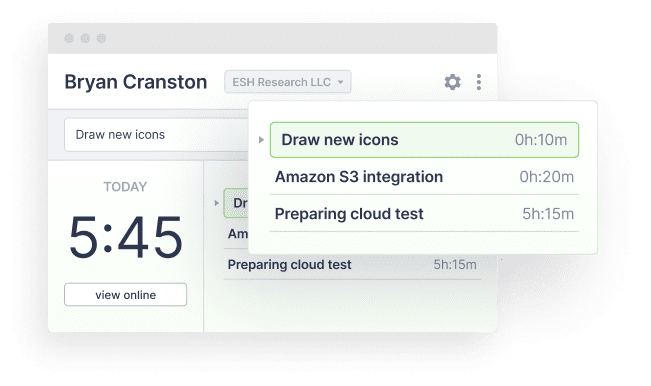
Start and stop
Your team installs the app for Windows, macOS or Linux. They log in, pick the project they are about to work on, and press Start. That is the whole interface. There is an autostart option for teams who would rather not think about it at all.
Managers install nothing. The data is on the web in real time, at scrin.io. The Help Center covers how time tracking works from the first install onwards.
It works offline
Hotel wifi, a train, an office outage: the app keeps recording to a local database and uploads everything once the connection is back. The time appears in the right place on the timeline, marked as recorded offline rather than quietly backdated.
Auto-pause when the computer is idle
After five minutes with no keyboard or mouse input, tracking pauses. Five minutes is the default; you can change it or turn it off.
When the person comes back, they are asked what that gap was. They can add it as offline time with a note, or drop it.
This setting keeps a timesheet honest in both directions. Nobody is billed for a lunch break, and nobody has to remember to press Stop.
Offline time
Meetings, site visits, phone calls. Offline time is entered by hand with a note. It appears on the timeline as offline and is counted in reports — clearly labelled, never disguised as tracked work. You can switch it off entirely.
Weekly limits
Set a maximum number of hours per week, for the team or for one person. This is useful for part-time contracts and for agencies working to a capped retainer. The person it applies to can see the limit in their own app.
Edits and corrections
Entries can be edited, and time can be moved between projects. Every change is written to an edit log, so a corrected timesheet is still an auditable one.
More features
All features · How it works · Plans & pricing